


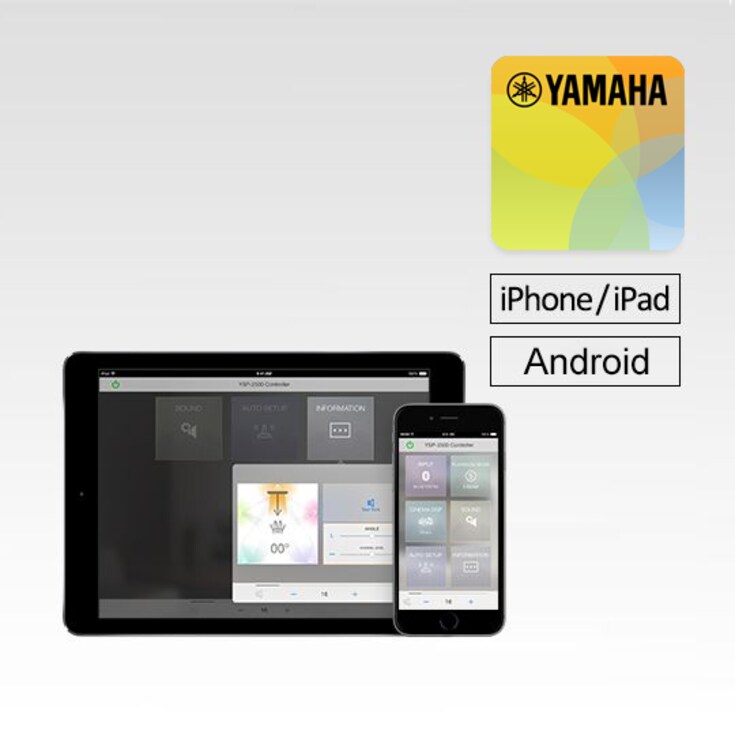
This HOME THEATER CONTROLLER app provides easy operation of select Yamaha Home Theater Systems using your iPhone, iPod touch or iPad.
-
Viktig informasjon
Det vil ikke lenger komme versjonsoppdateringer for HOME THEATER CONTROLLER og distribusjonen avsluttes i juni 2026.
Bruk av appen er fortsatt mulig via din iOS- eller Android-enhet. Vær oppmerksom på at appen kan slutte å fungere uten forvarsel på grunn av fremtidige oppdateringer av operativsystemet eller lignende.
*YAS-108 og ATS-1080 er også kompatible med Sound Bar Remote-appen.


Key Features
(1) Basic function control, such as volume up/down, input selection and setting mode selection
(2) Auto/manual sound beam adjustment (for YSP-2500)
(3) Precise sound beam adjustment (for YSP-1400 and SRT-1000)
(4) Surround mode selection, offering expanded choices over the included remote control (for YAS-152, YAS-103, YAS-203, ATS-1520 and ATS-1030)
*The app requires an active BLUETOOTH wireless connection between your Yamaha sound bar and your mobile device. Please make sure to establish a connection first.
Functions
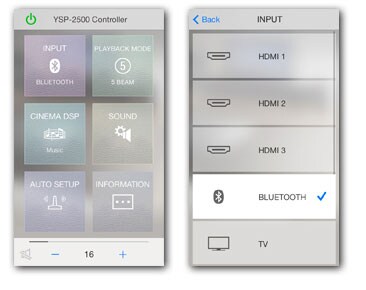
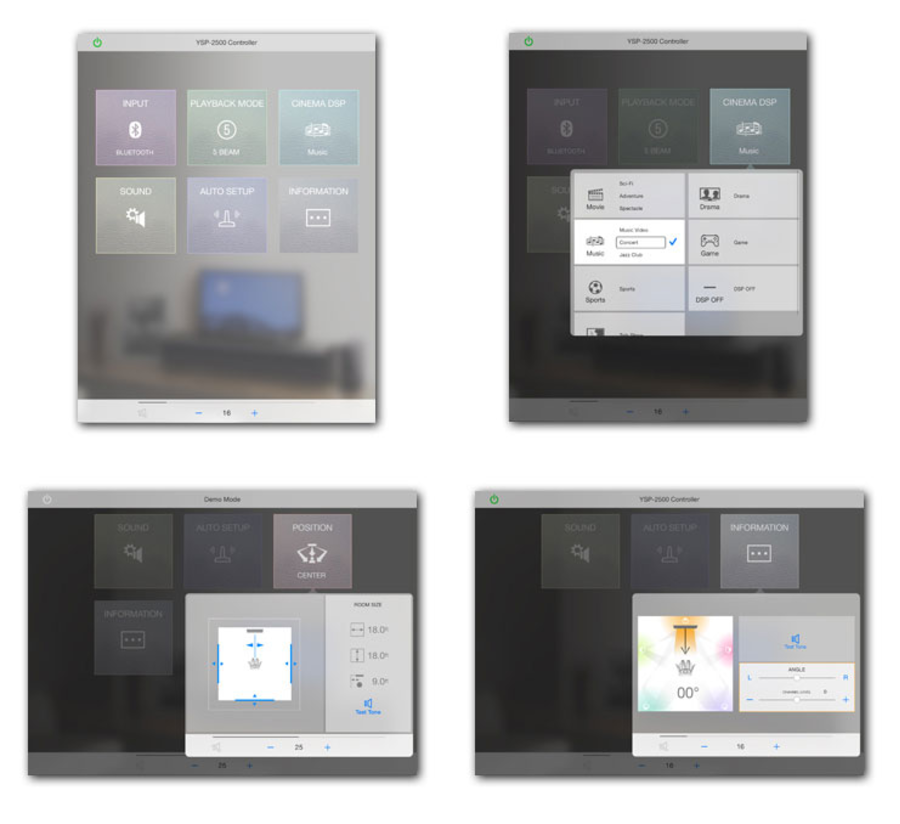
Home Menu / Input Select
[HOME MENU]
Change current settings and make selections quickly on this easy-to-read menu that has coollooking glassy icons.
[INPUT SELECT]
Just by touching an icon, you can select the source unit or service you want to enjoy.
Playback Mode
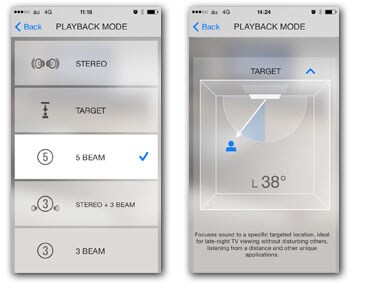
[PLAYBACK MODE]
Playback mode menu for selecting various Beam modes
(STEREO, TARGET, 5 BEAM, STEREO + 3 BEAM, 3 BEAM, MY SURROUND)
[PLAYBACK MODE (TARGET)]
Selecting the single channel Beam mode provides the sound only to one location, perfect for a person listening alone at night.You can also move this single channel Beam freely around your room.
*This feature is available only on YSP-2500.
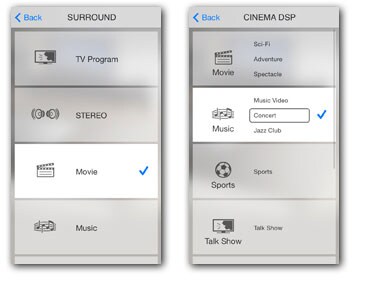
Surround Mode Select / Cinema DSP
[SURROUND MODE SELECT]*
You can select a DSP program to match your current source.
*This feature is available only on the following models. (ATS-1520, ATS-1030, ATS-2030, ATS-2020, YAS-152, YAS-103, YSP-1400, SRT-1000)
[CINEMA DSP]**
No matter what you're watching — movies, music, sports, etc., you can easily choose the DSP mode that best matches it.
**This feature is available only on YSP-2500.
Sound Menu / Auto Setup
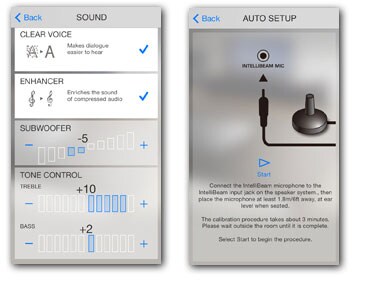
[SOUND MENU]
Makes it easy to adjust the sound as well as the subwoofer level. You can also turn Clear Voice and other functions on and off.
[AUTO SETUP]*
Using the IntelliBeam microphone, this procedure automatically calibrates the system to provide an optimal listening experience in your room.
*This feature is available only on YSP-2500.
Position / Information
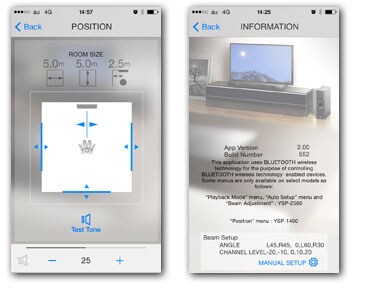
[POSITION]*
Input your room size and distances to walls for detailed sound beam positioning. Includes a test tone.
*This feature is available only on YSP-1400 and SRT-1000.
[INFORMATION]
You can find the App Version, or information on each beam angle and channel level.
Beam Adjustment
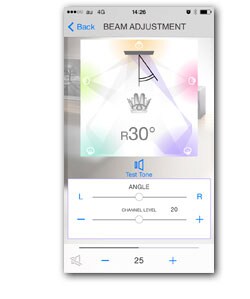
You can make detailed adjustments of volume and beam angle for each channel in one degree steps, to get the sound just the way you want it.
*This feature is available only on YSP-2500.
Operation Image (iPad)
Multi-Language Support
English, Norwegian, Danish, Dutch, Finnish, French, German, Italian, Japanese, Polish, Portuguese, Russian, Simplified Chinese, Spanish, Swedish, Turkish
Kompatible modeller
YSP-2500, YSP-1400
YAS-106, YAS-105, YAS-203, YAS-103, YAS-152, ATS-1050, ATS-1030, ATS-1520
SRT-1000, SRT-700, SBS-100
YRS-2500, YRS-1500
*Some models are not available in some regions.
System Requirements
- iOS-versjon 9 til 12.1
- Android-versjon 6 til 11
Privacy Policy
* This application will never collect nor externally transfer personal data stored in your smartphone / tablet.
* This application performs following functions for purposes described below.
Making a connection under Bluetooth-enabled environment
The application uses Bluetooth function on your smartphone / tablet for the purpose of controlling Bluetooth-enabled devices.
* Spesifikasjoner kan endres uten varsel. Farger og utførelser kan avvike fra de som vises på de faktiske produktene.
